THOUSANDS OF FREE BLOGGER TEMPLATES �

Wednesday, November 3, 2010

Diagonal Rule.

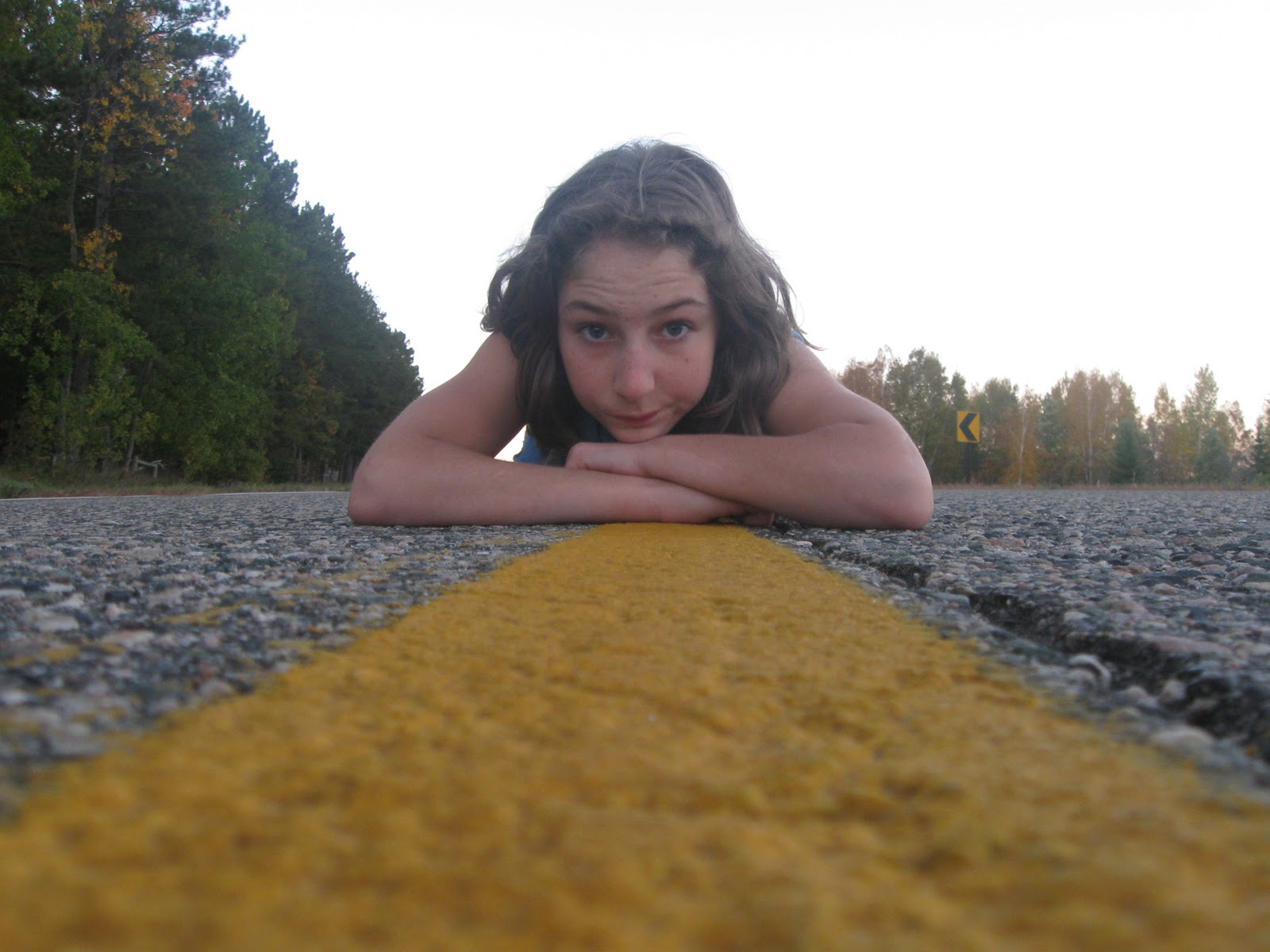
this is the not edited picture i took it on october 20th. i used the landscape mode. i took it at a place down my road.


This is the edited picture i took it on october 20th. i  used the landscape mode and i got the best effect. first i adjusted the brightness and contrast of the picture to make it brighter. i adjusted it with the curves tool. i think it looks better in this picture because its clearer and brighter.it has diagonal rule because of the road drags across the picture.

Tuesday, November 2, 2010

Cityscape

This is the not edited picture. I took it on october 20th. I used the landscape mode.


I took this picture on october 20th using the landscape mode. The first thing I did was adjusted the brightness and contrast. After that I adjusted the vibrance to make the picture stand out more. I got rid of the darkness using the curve tool. I think  it looks way better this way because it stands out more. I like how its brighter now that i changed it.

Lines.

This Is the not edited picture. I took it on october 12th. I used the landscape mode.


I took this picture on october 12th using the landscape mode.I adjusted the brightness and saturation. I also adjusted the vibrance and hue. I like how the colors come out more in this picture.


Thursday, October 28, 2010

landscape

This is the not edited picture. I used the landscape mode. I took it on october 7th.


This is the edited picture i used the landscape mode.The first thing I did was was make a copy of my background layer.Then I turned the picture black and white. Then I clicked merge visible on the background layer. Then I used the earser to turn the feild yellow. 

This is the edited picture. I adjusted the exposure and brightness. I adjusted the color with the curves tool. I also adjusted the vibrance and saturation. I think it looks better this way because its way brighter and its not dark. The ground is my empahisis, The land is my emphasis because their is more land then sky.


This is the not edited picture. I took it on october14th using the landscape mode. I took it on my deck.
 This is the edited picture. I took it on october 14th. the first thing I did was adjusted the curves to make it brighter. Then I cropped it so the truck wasnt there. After i cropped I adjusted the contrast to make it bright.  I like it better then the orignal because its brighter. I like how the trees are in this picture. Its a sky emphasis because there is more sky then ground.


Tuesday, October 26, 2010

black & white with color.

 This is my edited picture. The first thing I did was was make a copy of my background layer.Then I turned the picture black and white. Then I clicked merge visible on the background layer. Then I used the earser to turn the line yellow again. I think it looks better this way, it makes it stick out more. I took this picture on October 4th. I used the potrait mode.
this is the not edited picture. i used the potrait mode. i took this picture on october 4th.

This is the just black and white picture.

Wednesday, October 20, 2010

photo cleanup

this is the not edited picture. i used the easy mode.


                                           this is the edited picture. i took it with the easy mode. i adjusted the brightness then used color balance to take away the yellow. then i used the spot healing brush on some of his face. i also you the vibrance tool. i also cropped it to get rid of all the clutter in the background. i took away the globes using the patch tool. I think the picture looks better now that its not as yellow and the background isnt as busy.


Monday, October 11, 2010

Color Replacement.

this is a picture i did nothing too. i took it on 10-7-10. i used landscape mode.

this is the picture i turned the flowers purple in. I used color replacement. its better because it stands out more. I made a new layer and highlited what I wanted to change, I changed the color purple.